
Android app · Charyx Labs
Navkar: Jain Tithi & Paryushan
The tithi, the times and Paryushan, kept quietly.
Navkar: Jain Tithi & Paryushan brings three things a Jain day asks for into one quiet app: the Navkar counted on a mala of 108, each day's tithi with its sunrise and pachchakkhan times, and Paryushan kept day by day.
Coming soon to Google Play
- Free
- Android 8.0 and later
- No ads, ever
- No account
- No data collected
What it does
What Navkar: Jain Tithi & Paryushan does
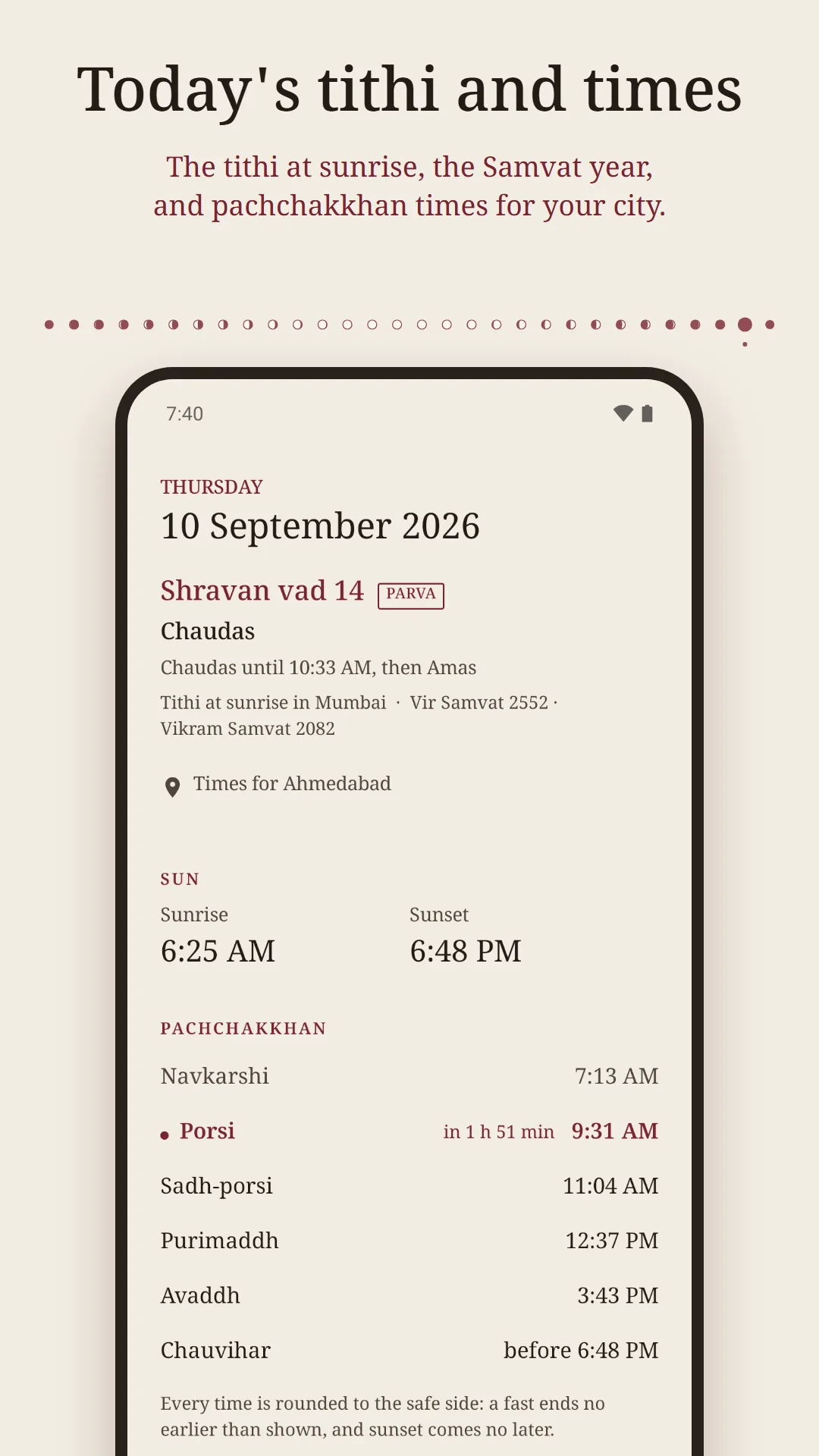
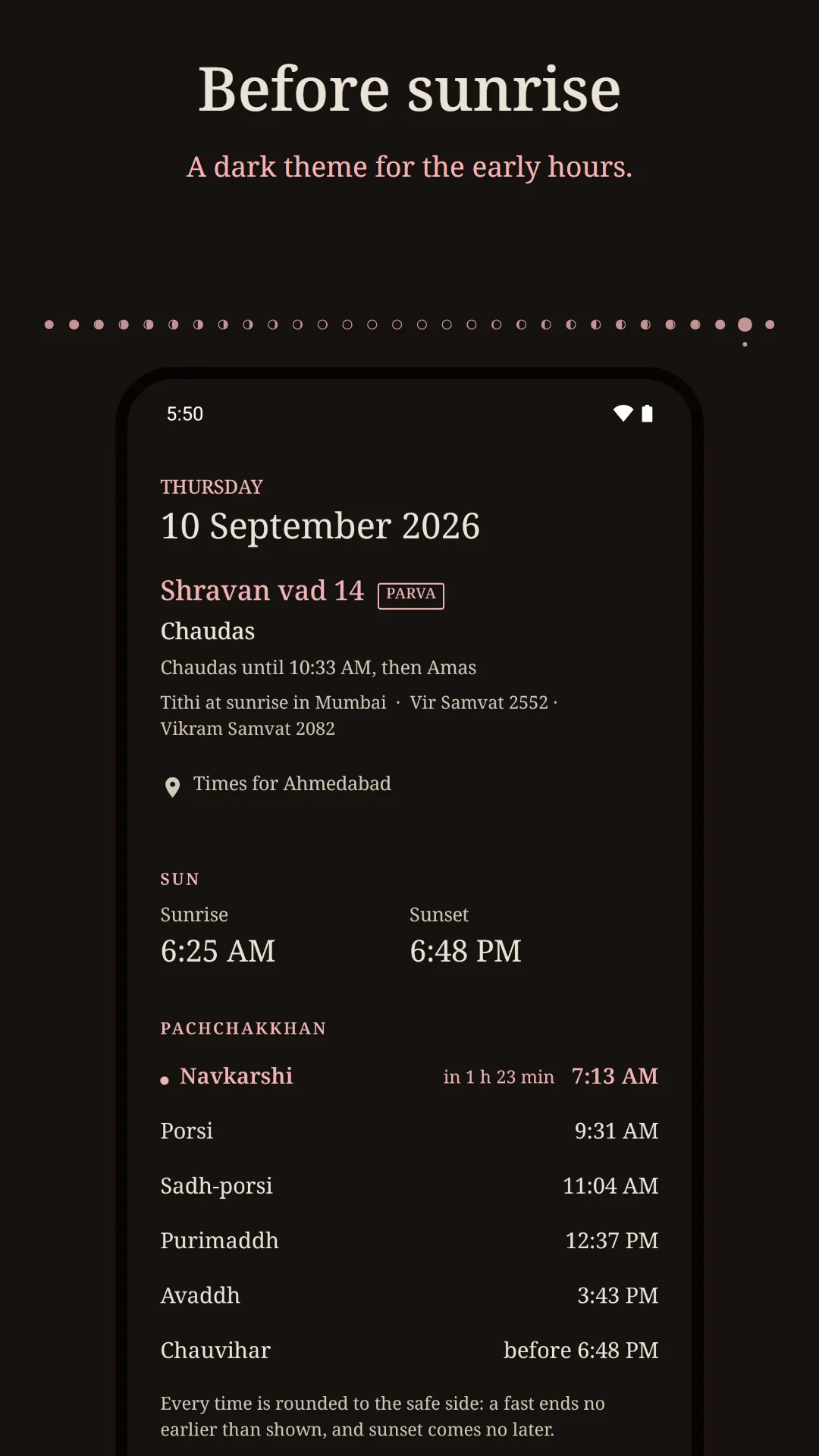
Each day's tithi, at sunrise
The day's tithi (Bhadarvo sud 4, or Bhadrapad shukla 4 if you prefer), when it ends and what follows, and the Vir Samvat year. Reckoned at Mumbai's sunrise, as Tapa Gaccha calendars are and sanghs abroad keep them, or at Jodhpur's or your own.
Pachchakkhan times for your city
Sunrise, Navkarshi, Porsi, Sadh-porsi, Purimaddh, Avaddh and sunset for your own city, with the next one marked. Every time is rounded to the safe side: a fast never ends early, sunset never comes late.
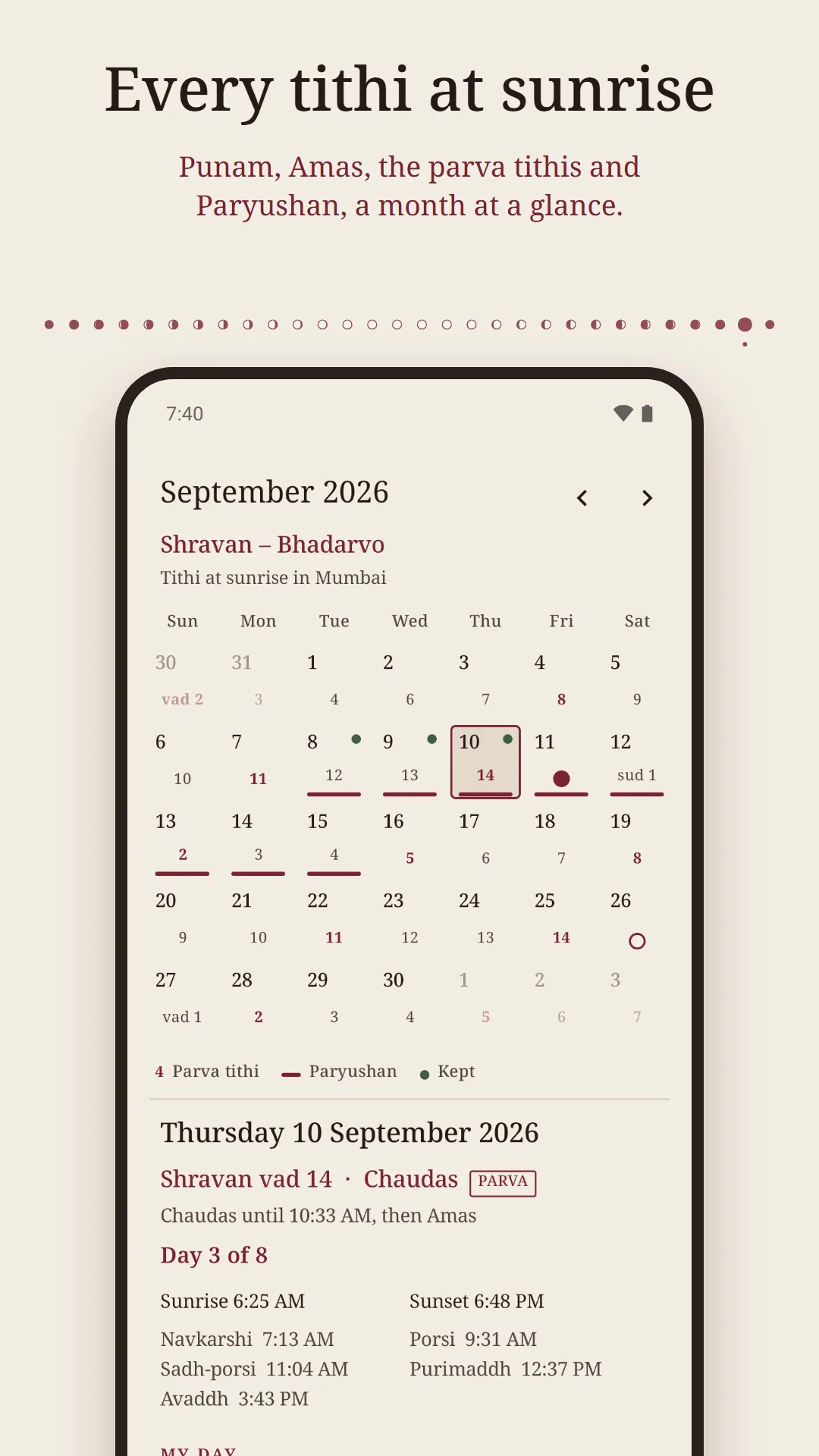
A month as a panchang shows it
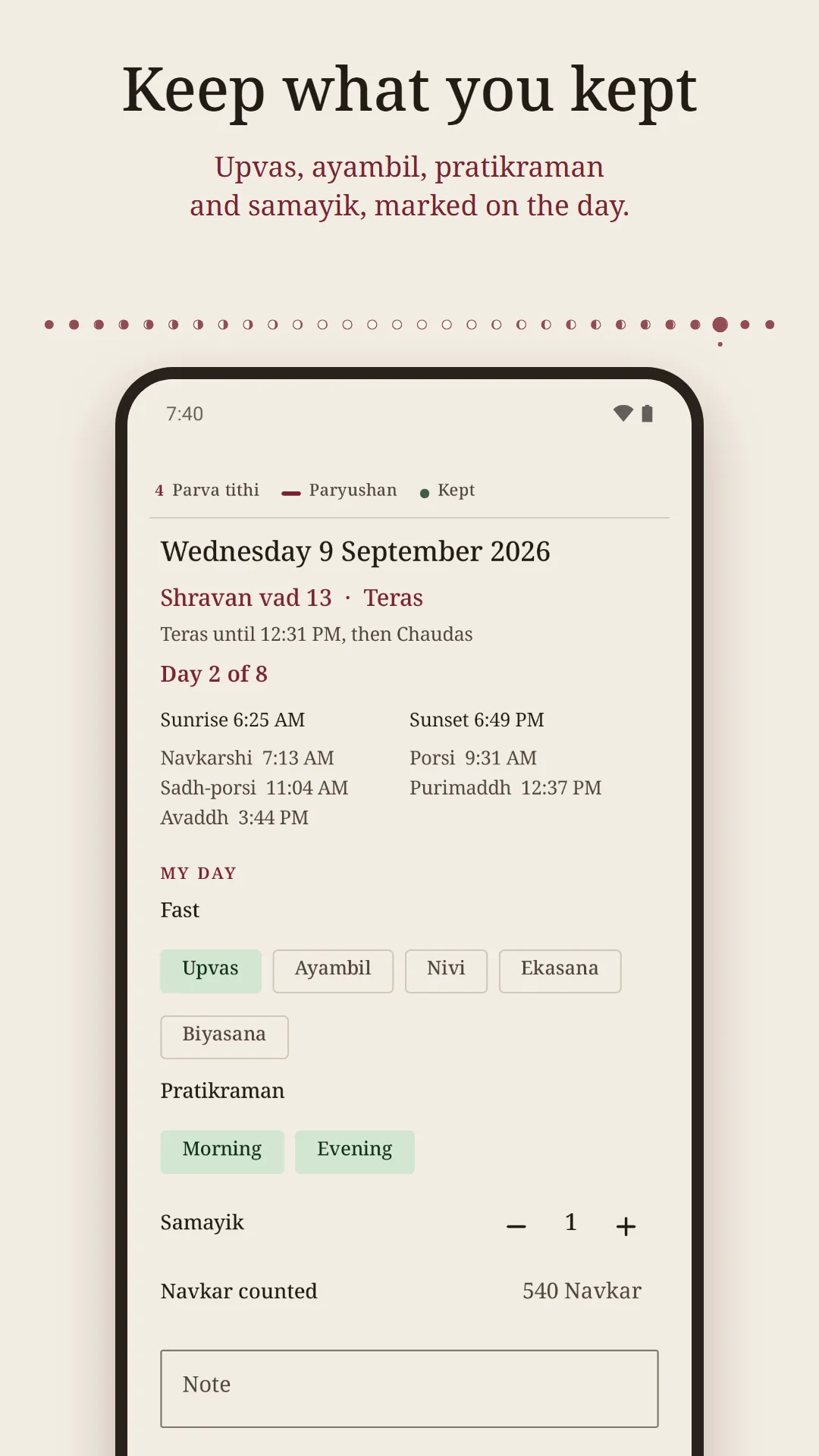
Every day's tithi on a month calendar, with Punam and Amas, the parva tithis you keep and your Paryushan days. Tap a day for its times and mark what you kept: a fast, pratikraman, samayik, a note.
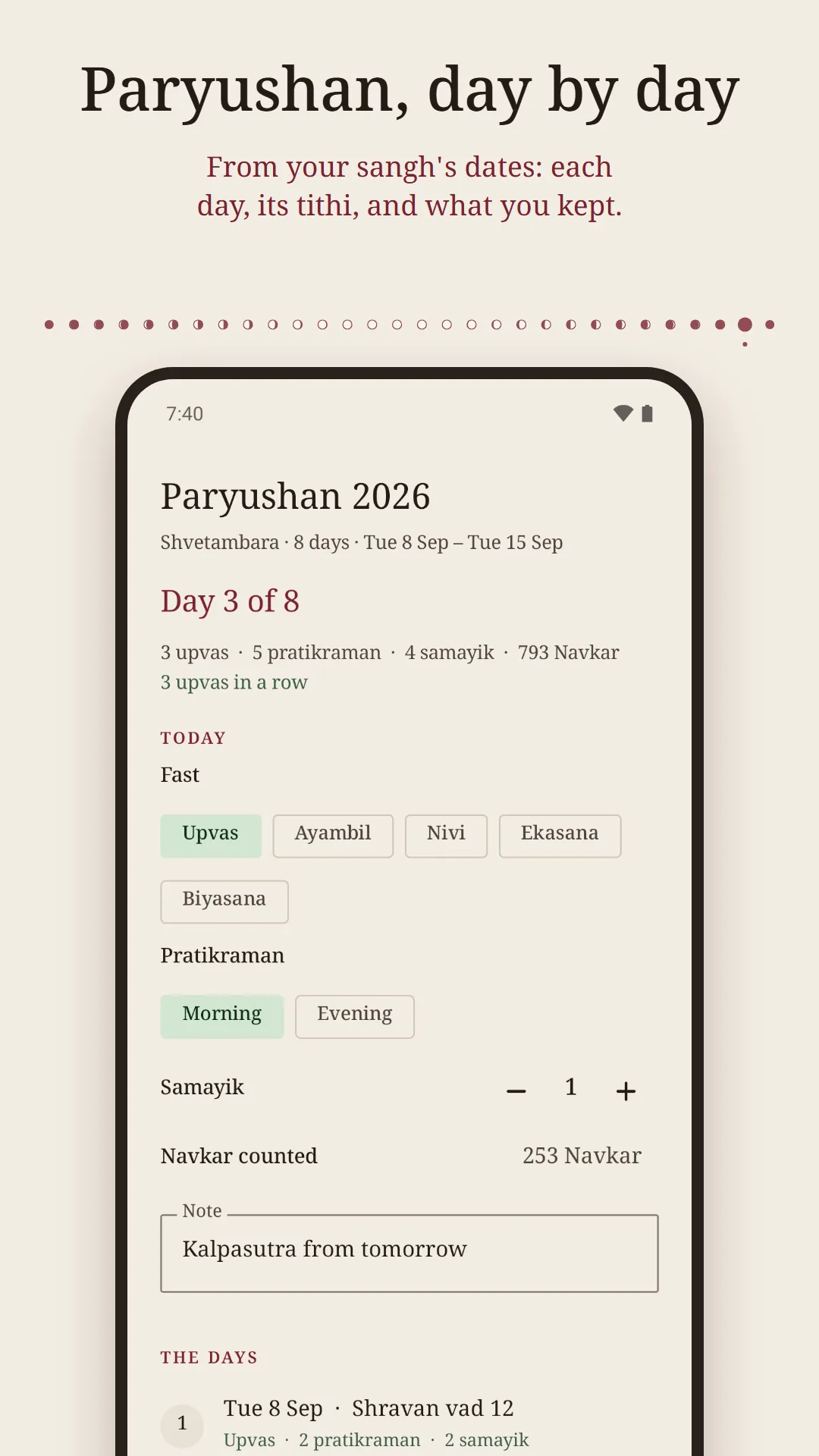
Paryushan, day by day
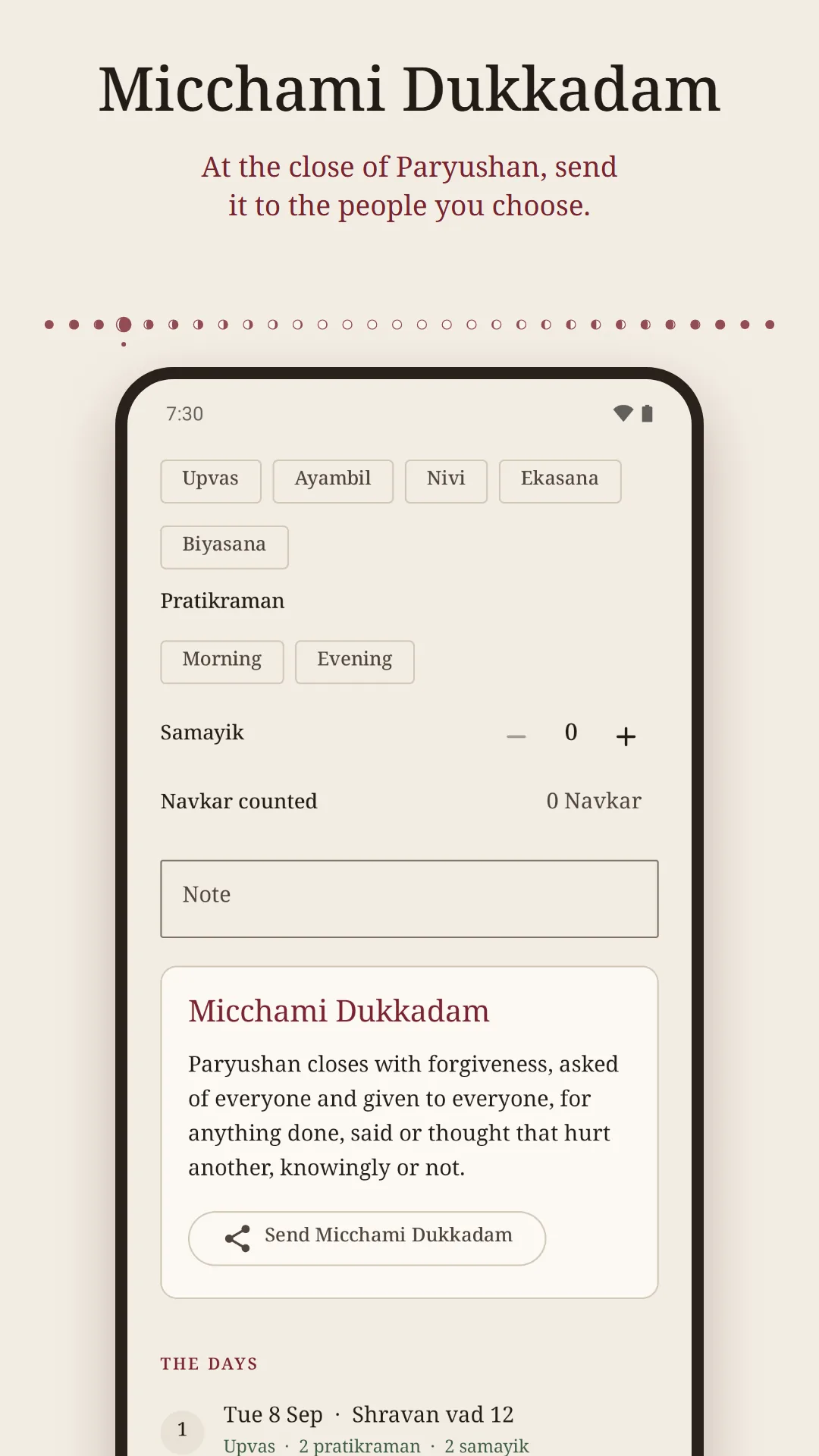
Enter the first day your sangh announced, for the eight days ending with Samvatsari or the ten of Das Lakshan. The app counts down to it, then keeps each day with you, and at the end lets you send Micchami Dukkadam to the people you choose.
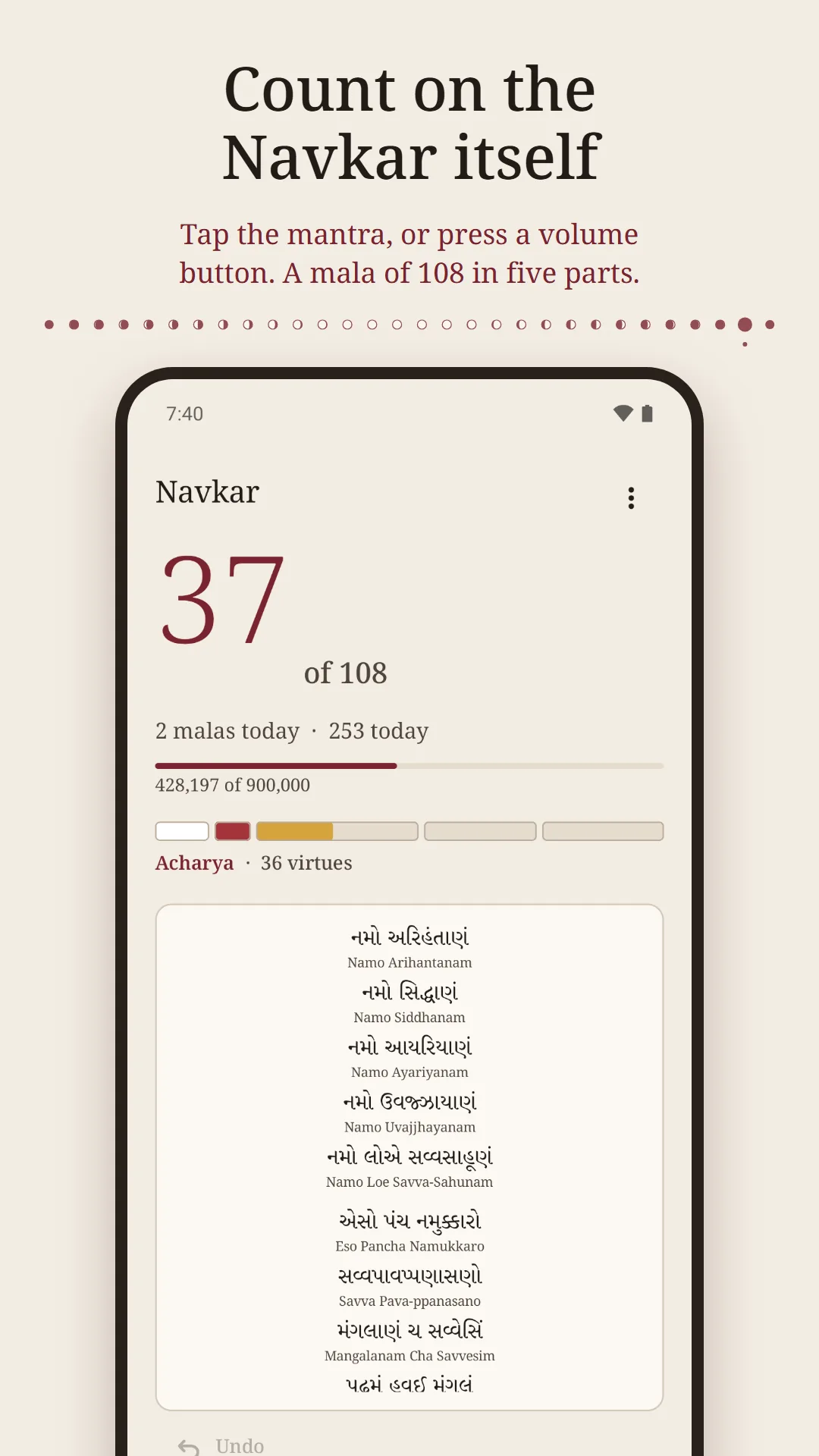
Count on the Navkar itself
Tap anywhere on the mantra, in Gujarati, Devanagari or Roman letters, or press a volume button. A tick for each Navkar and a long pulse when a mala of 108 is complete. Set a goal such as nine lakh, with what you counted before.
The app never guesses the dates
Sanghs reckon Paryushan and the parva days differently, so the app shows the tithi as the sky gives it and uses only the Paryushan dates you enter. Yours are the ones that count.
Quiet reminders
Optional reminders for a daily mala, before sunset, at Navkarshi, and the evening before Paryushan begins.
Your data stays yours
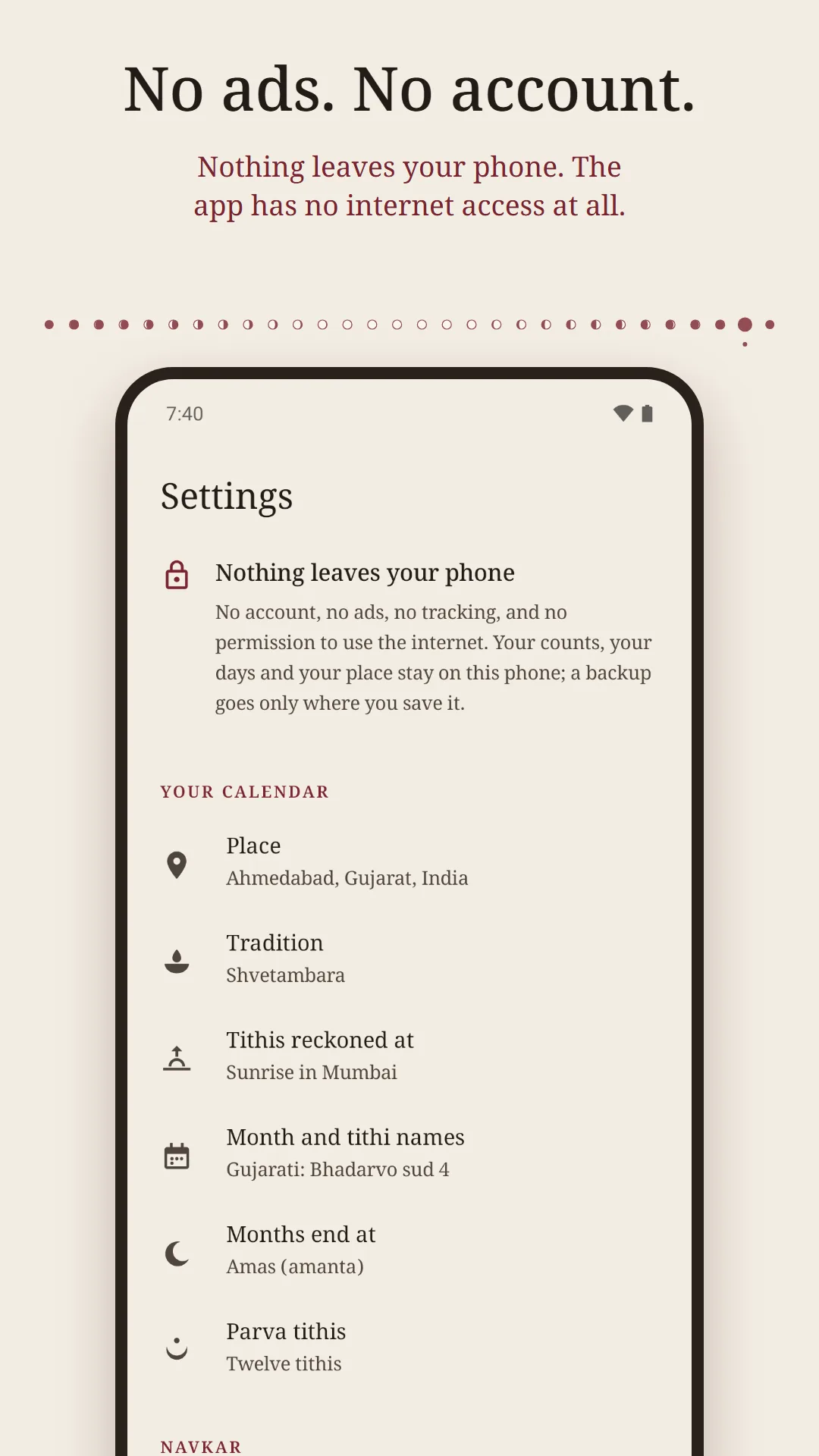
Everything is stored on your phone. Back up to a file, restore it on a new phone, or delete everything from Settings. No account, and no internet access at all.
Screenshots
A closer look
Privacy
Nothing leaves your phone
Navkar: Jain Tithi & Paryushan has no internet access at all and collects nothing. Your Navkar counts, the days you mark (fasts, pratikraman, samayik and any note you write), the Paryushan dates you enter, the city you choose and your settings are stored only on your device.
Read the privacy policy, see how to delete your data, or get help and support.
Questions
Which tithi does the app show for today?
The tithi in force at sunrise (udaya tithi). By default that is sunrise in Mumbai, the city Tapa Gaccha calendars are reckoned for and whose dates sanghs abroad mostly keep. You can choose Jodhpur, or your own city, in Settings.
How are the pachchakkhan times worked out?
From sunrise and sunset in the city you choose. Navkarshi is 48 minutes after sunrise. Porsi, Sadh-porsi, Purimaddh and Avaddh end one, one and a half, two and three prahar after sunrise, a prahar being a quarter of the time from sunrise to sunset. Times that end a fast are rounded up to the minute and sunset is rounded down.
Does the app tell me when Paryushan is?
You enter the first day your sangh announced, and the app keeps the days from there. It does not work the dates out itself, because sanghs reckon them differently (sud 4 or sud 5 for Samvatsari, and how an adhik month or a dropped tithi is counted). To help you find them, it shows where Bhadarvo sud 4 and sud 5 fall.
Does it support Digambara Das Lakshan?
Yes. Choose Digambara and Paryushan runs for ten days, each with its virtue, from Uttam Kshama to Uttam Brahmacharya. The Navkar is shown in the Digambara form, with ण.
Can I count the Navkar with the volume buttons?
Yes, on the Navkar tab. Either button counts one; elsewhere in the app they change the volume as usual.
Can I see the Navkar in Gujarati?
Yes: Gujarati, Devanagari or Roman letters, with a Roman transliteration under each line if you want it.
Does it know where I am?
No. You choose a city from the list in the app, or type its coordinates. The app has no location permission and no internet access.
What data does it collect?
None. Your counts, your days and your city stay on your phone. There is no account, no analytics and no ads.
How do I move my record to a new phone?
Save a backup file from Settings and restore it on the new phone. On Android 12 and later, Android's own phone-to-phone transfer brings it across too.
Is it free?
Yes. Free, with no ads, ever, and no account.
Navkar: Jain Tithi & Paryushan is made by Charyx Labs.