
Android app · Charyx Labs
Mala & Meditation Timer
A bell to sit by. A mala to count on.
Mala & Meditation Timer is a bell to sit by and a mala to count on. Set the minutes, choose your bells and sit. Then count each recitation along a strand of beads, with a tap or a volume button. Every sit and every round goes into one log, kept on your phone.
Coming soon to Google Play
- Free
- Android 8.0 and later
- No ads, ever
- No account
- No data collected
What it does
What Mala & Meditation Timer does
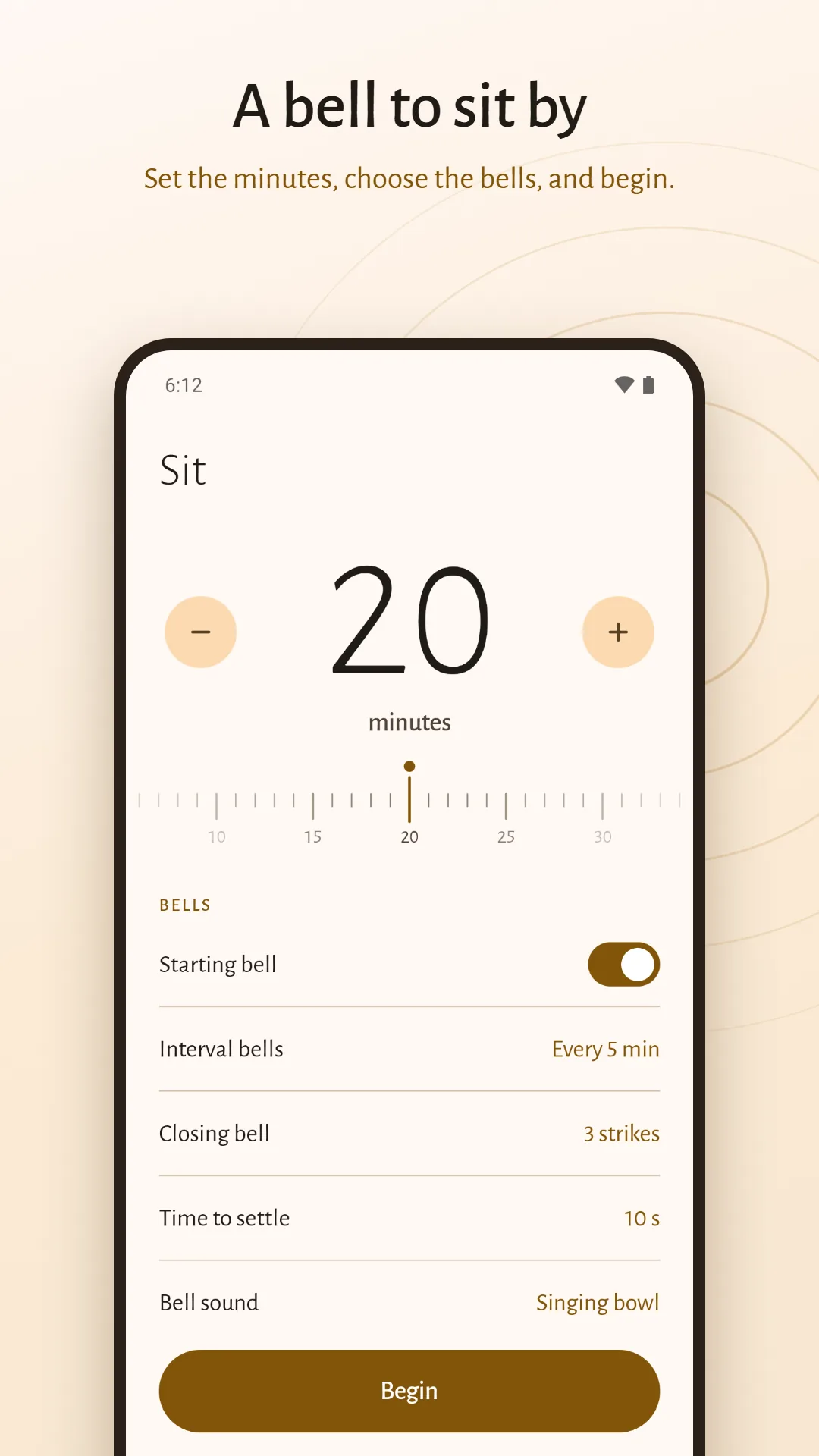
A meditation timer with interval bells
Slide the ruler to any length from 1 minute to 3 hours. Choose a starting bell, a closing bell of one or three strikes, and interval bells at the halfway point or every few minutes, with a few seconds to settle first.
Three bells, made for the app
A singing bowl, a bright bell, and a woodblock for a shared room. Hear each one before you choose.
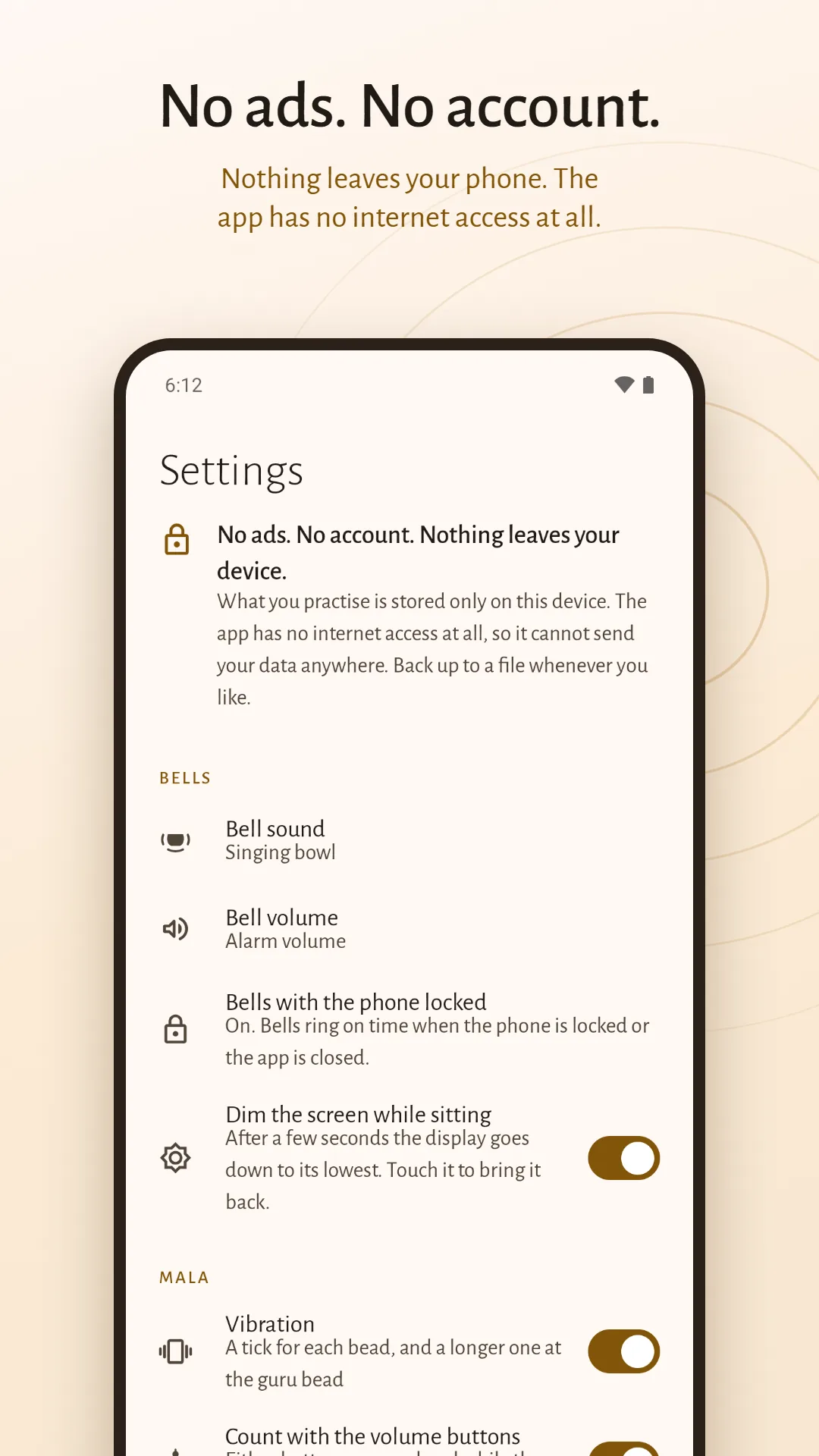
The screen goes quiet while you sit
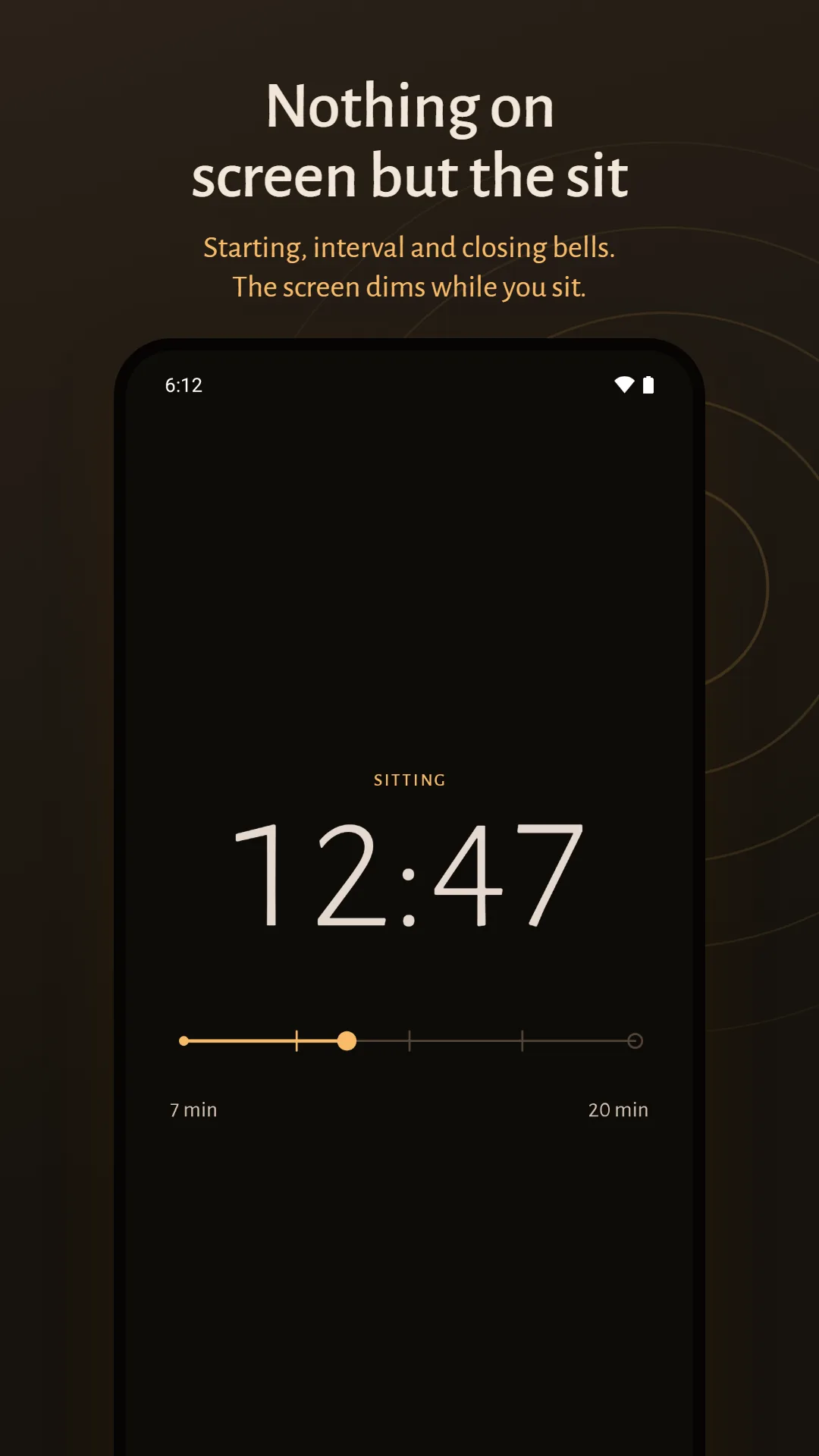
A sit shows the time left and little else, and after a few seconds the display dims to its lowest. Pause if someone needs you, or end early and keep what you sat.
Bells that reach you when the phone is locked
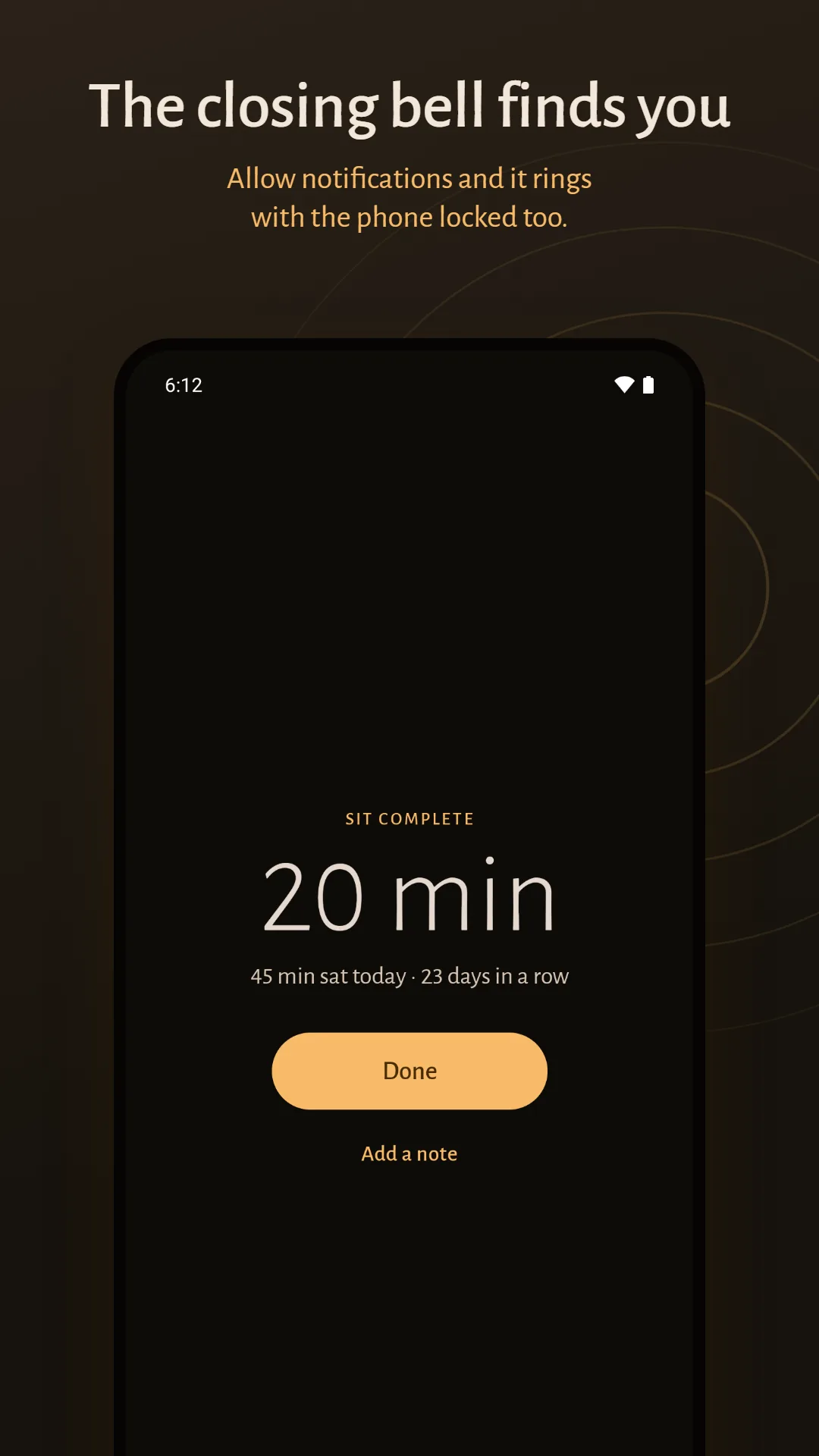
Allow notifications, and each bell still rings when you lock the phone or leave the app. Ring them at alarm volume, so they sound even when the phone is silent, or at media volume, so that with headphones in only you hear them.
A mala counter for mantras and recitations
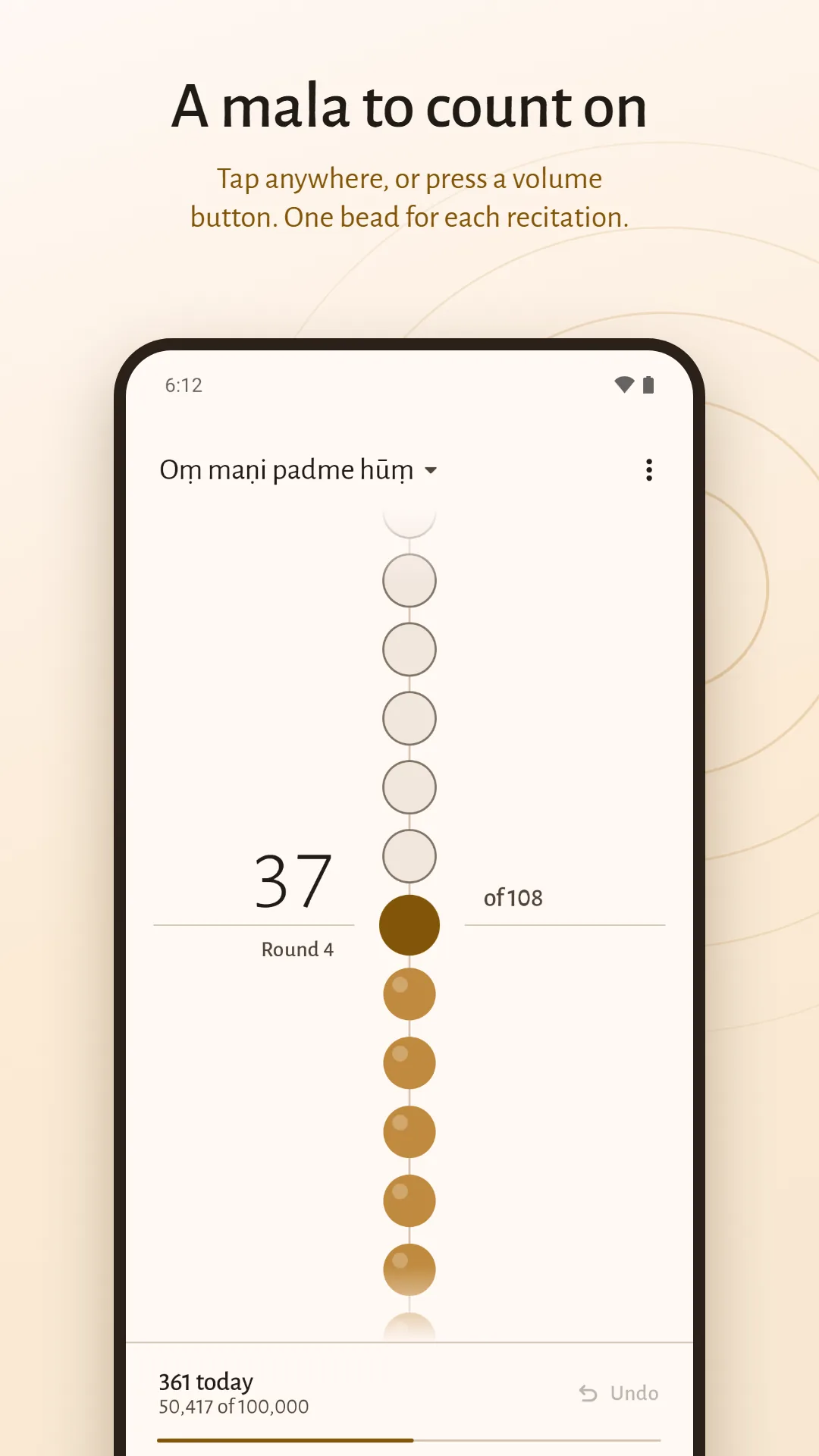
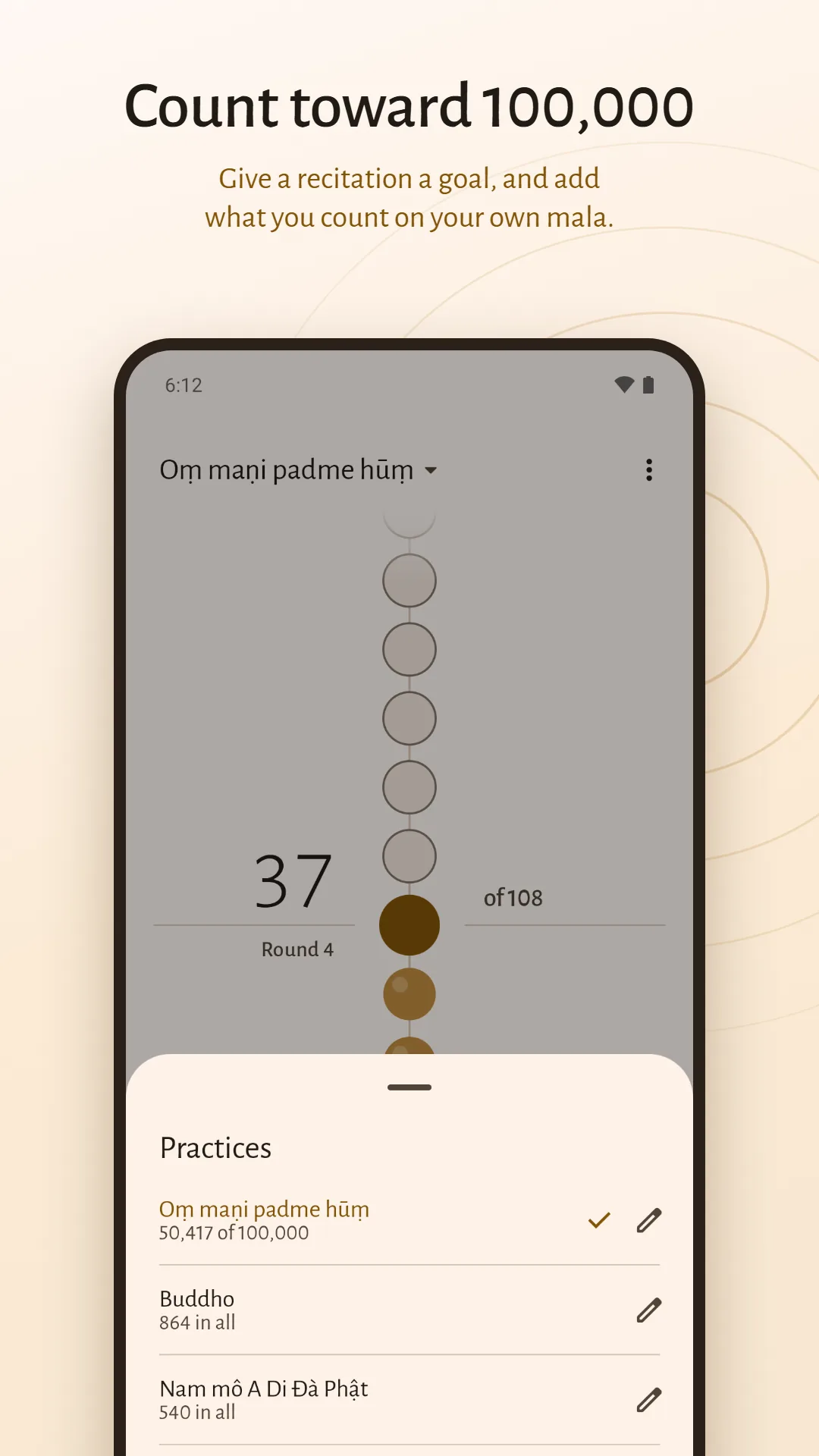
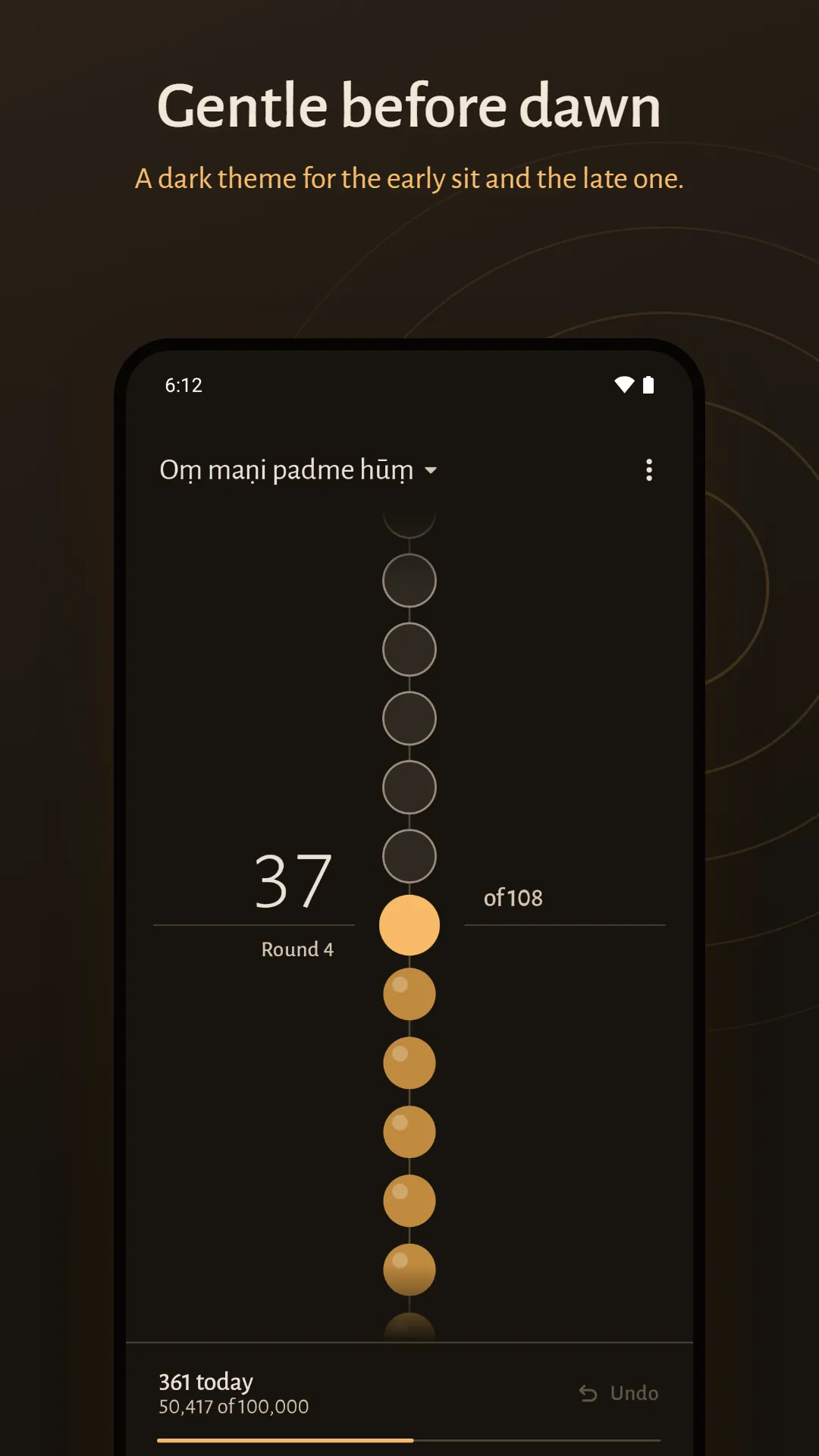
Tap anywhere, or press a volume button, to move one bead along the strand. You feel a tick for each bead and a longer pulse at the guru bead. Rounds of 108, 54, 27 or 21 beads, or any number you set.
Count toward an accumulation
Give a practice a goal, such as 100,000 recitations, and the app keeps the running total. Enter what you had completed before, and add the rounds you count on your own beads.
One log for sitting and reciting
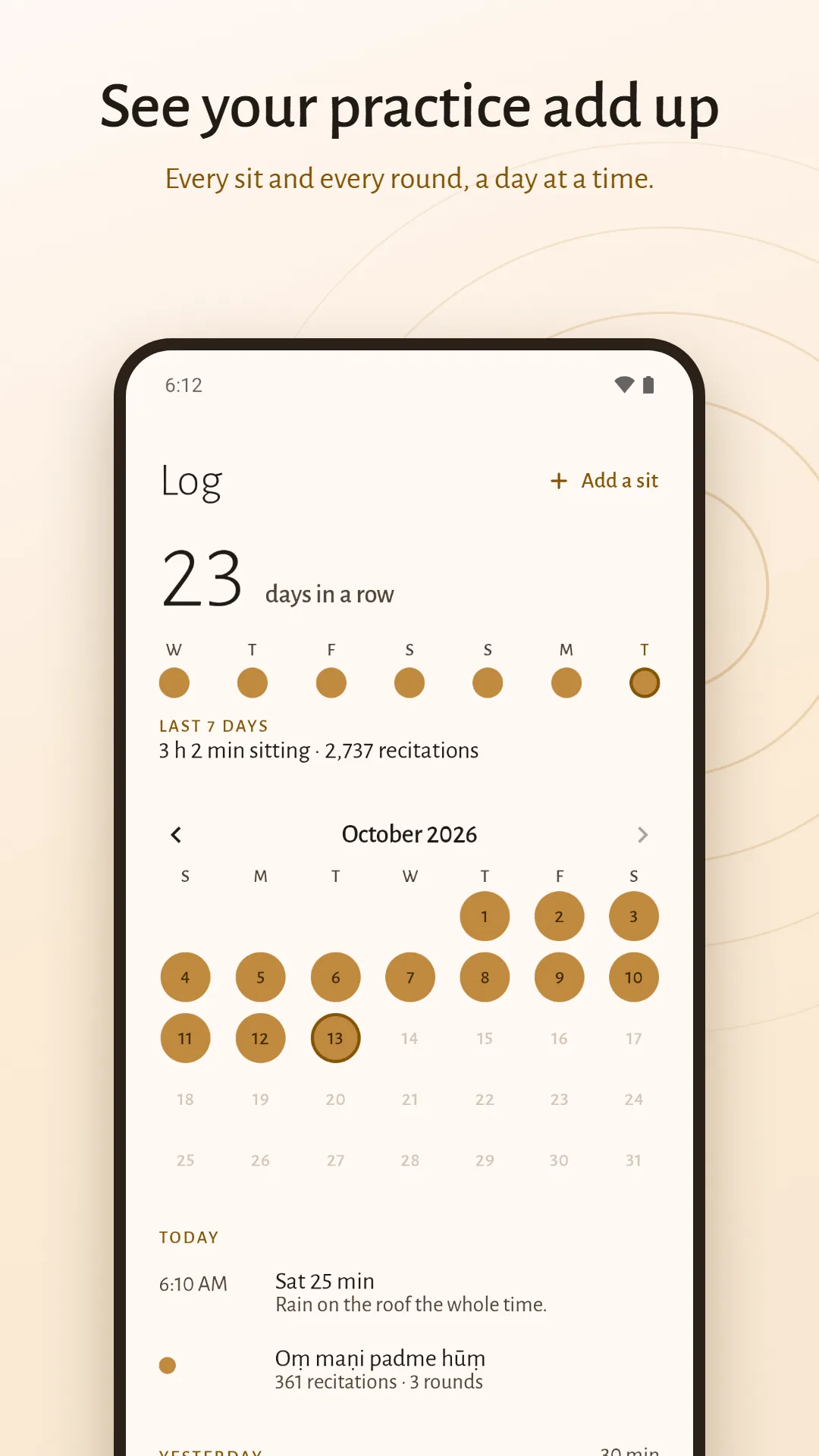
The days you practised on a month calendar, how many days in a row, the last seven days at a glance and your totals for all time. Add a note to a sit, or add a sit you did without the app.
Your data stays yours
Everything is stored on your phone. Back up to a file, restore it on a new phone, or delete everything in one tap.
Screenshots
A closer look
Privacy
Nothing leaves your phone
Mala & Meditation Timer has no internet access at all and collects nothing. Your sits (when you sat, for how long, and any note you wrote), your practices (what you recite, your bead counts, your goals and the days you counted) and your settings are stored only on your device.
Read the privacy policy, see how to delete your data, or get help and support.
Questions
Is it a meditation timer or a mala counter?
Both, in one app. The Sit tab is a timer with bells, the Mala tab counts recitations on a strand of beads, and the Log keeps a record of both.
Can I set interval bells?
Yes. Choose one bell at the halfway point, or a bell every few minutes, from every minute to every hour. The starting bell and the closing bell are separate, and the closing bell can be one strike or three.
Do the bells ring when my phone is locked?
Yes, once you allow notifications. With the phone locked or the app closed, each bell reaches you as a notification that plays the bell. Allow alarms as well and the bells arrive on time; without that, Android may deliver one a few minutes late.
Will a bell ring if my phone is on silent?
You choose. At alarm volume the bells ring even when the phone is silent. At media volume they are as loud as your music, and with headphones in, only the headphones sound.
How do I count mantras on the mala?
Open the Mala tab and tap anywhere, or press a volume button, once for each recitation. You feel a tick for each bead and a longer pulse at the guru bead, where the mala turns and the next round begins.
Can I change the number of beads?
Yes. A round can be 108, 54, 27 or 21 beads, or any number you set, and each practice keeps its own size.
Can I count toward 100,000 recitations?
Yes. Give a practice a goal and the app keeps the running total. You can enter what you had completed before you installed the app, and add rounds you count on your own beads.
Does it work offline?
Always. The app has no internet access at all, so it works the same with or without a connection.
What data does it collect?
None. Your sits and your counts stay on your phone. There is no account, no analytics and no ads.
How do I move my log to a new phone?
Save a backup file from Settings and restore it on the new phone. On Android 12 and later, Android's own phone-to-phone transfer brings it across too.
Is it free?
Yes. Free, with no ads, ever, and no account.
Mala & Meditation Timer is made by Charyx Labs.